The MeitY Comprehensive Security Audit (CSA) checklist: who answers it, how the audit runs and what reviewers expect
CERT-In’s 2025 audit guidelines make a 282-point checklist the default audit scope for sensitive government systems. What we could verify, and how to prepare.
Key takeaways
- CERT-In’s 25 July 2025 guidelines make the 282-point checklist the default mandatory audit scope for critical applications and databases of Ministries and Departments that hold sensitive personal data.
- The same guidelines expect an audit at least once a year, a scope drawn from an asset inventory, and follow-up audits after findings are closed.
- The checklist text is cited, not published, in the guidelines. Get the current version from your audit authority.
- Most delay comes from evidence assembled by hand for every audit, and findings with no owner or date.
On 25 July 2025 CERT-In, the Indian Computer Emergency Response Team under the Ministry of Electronics and Information Technology, issued its Comprehensive Cyber Security Audit Policy Guidelines (Version 1.0). Section 8(v) says that for critical applications, databases or platforms of Ministries, Departments, Secretariats and Offices that involve sensitive personal data, the auditor must verify compliance with a "Comprehensive Audit Program Checklist". The guidelines say this checklist, with 282 control points, forms the default mandatory audit scope for such entities.
That is the document many teams call the MeitY Comprehensive Security Audit, or CSA, checklist. This guide sets out what the CERT-In text says about it, how the audit around it runs, and what reviewers expect to see. It also says plainly what we could not confirm.
What is the MeitY CSA checklist?
It is an audit checklist, not a certification scheme. According to Section 8(v), it comes from MeitY’s Cyber Security Division guidelines on mandatory features of cybersecurity architecture. The CERT-In guidelines refer to it by name and by its 282 control points, and do not reproduce it.
Note. We could not find the checklist text on a public MeitY or CERT-In page. We therefore do not list its lines, its domains or a version date. Ask your audit authority which version applies, and work from that copy.
The checklist is one part of a wider audit. The same guidelines ask auditors to use the Cyber Security Audit Baseline Requirements to build the audit programme, to include CERT-In and sector regulator directions in scope by default, and to use comprehensive frameworks and methods, not short lists.
Who must use it?
The text names the entities: Ministries, Departments, Secretariats and Offices, for critical applications, databases or platforms that involve sensitive personal data. Public sector undertakings are not mentioned in the guidelines. If you are a PSU, or a technology partner running a system for a department, the practical test is whether your audit instructions or contract bring the system under the checklist. Ask, and get the answer in writing.
Several roles are involved:
- The auditee organisation, which owns the audit from scope to closure. Section 9.6(i) says this responsibility must not be delegated, although specialist support is allowed.
- The auditing organisation. Section 10.2 and Section 12 allow only CERT-In empanelled organisations, using only the personnel declared to CERT-In.
- Top management. Section 9.1 expects it to review and approve the audit programme and scope, and the remedial measures.
- Technology partners and developers, who patch, document and keep the audited version stable.
How does the audit run?
The guidelines describe four stages: planning, execution, reporting and evidence handling.
- 1Plan. The auditee defines scope, frequency, critical assets and team, and signs an engagement letter with the auditing organisation (Sections 13 and 14).
- 2Brief. An entry conference is attended by senior management, and the auditor presents to the Board and senior management at onboarding (Sections 9.6(vii) and 17).
- 3Test. The auditor states which environment was tested. Access is temporary and privileges are revoked when the audit ends (Sections 15.1.2 and 15.2.3).
- 4Report. Findings are scored with CVSS and EPSS and mapped to CWE. Critical and high findings are reported as they are found (Sections 16.2 to 16.4).
- 5Close. The final report is issued after vulnerabilities are closed, and follow-up audits verify closure (Sections 9.3(iv) and 16.3).
Audit metadata goes to CERT-In within five days of completion (Section 10.6).
Watch for. Section 8(viii) says an application not built with secure design and development practices should not be assessed. The auditee is told in writing, with a copy to CERT-In. Be ready to show how the application was built before the audit begins.
What do the guidelines expect around the checklist?
| Area | What is asked | Evidence a reviewer will want |
|---|---|---|
| Scope | Drawn from a consolidated, regularly updated asset inventory, vetted by internal audit with the CISO, and covering test, development and production (Section 13.1.1) | Asset inventory with owners, environment list, scope note |
| Frequency | At least once a year, after major changes, and periodically by criticality (Section 13.1.2) | Audit calendar, change records tied to audits |
| Critical assets | Critical databases need at least a configuration audit. Critical applications need DAST and SAST (Section 13.1.3) | Configuration review, SAST and DAST reports |
| Third parties | Vendor and supply chain risk assessment is part of scope (Section 13.1.1(f)) | Vendor register, assessments, review dates |
| Leadership | Top management approves programme, scope and remediation. The head of the organisation authorises risk treatment and exceptions (Sections 9.1 and 9.2) | Signed approvals, risk acceptance records |
| Remediation | Owners patch at the earliest, with follow-up audits after closure (Section 9.3) | Findings tracker with owners, dates and re-test results |
| Audited version | No code changes after the certificate is issued, with hash values, versions and timestamps captured (Section 9.5) | Version and change records tied to the report |
| Access | Least privilege. Remote access restricted, encrypted, logged and protected by MFA (Section 9.6) | Access reviews, MFA configuration, remote access logs |
What evidence do reviewers expect?
The checklist itself records a result per control point, so each line needs a document, a record or a test result behind it. From the guidelines, the pattern is clear. Auditors look for documents that show a decision was made and approved, records that show it was carried out, and tests that show it works.
In practice that means:
- Architecture and data-flow documents for each in-scope application
- Source code review, SAST, DAST and VAPT reports, linked to the findings they produced
- Configuration reviews and patch records for hosting, network and databases
- Access and privilege reviews, and remote access records
- Policy documents with approval and review dates
- Vendor assessments for third parties that touch the system
- A findings register showing owner, severity, target date, closure evidence and re-test
Section 18 also asks auditees to obtain the auditor’s working notes and include the evidence as an appendix to the report, stored securely with restricted access.
A readiness checklist
Where the work usually gets stuck
Interpreting the checklist is rarely the problem. The delay tends to come from:
- 1The same documents requested again at every audit, and gathered from email and shared drives
- 2Test reports that are not linked to the findings or lines they relate to
- 3Vendor controls assessed once and not revisited
- 4Findings noted in a spreadsheet with no owner or date, which then appear as repeat observations
- 5Code changes after the audit, with no record of which version was audited
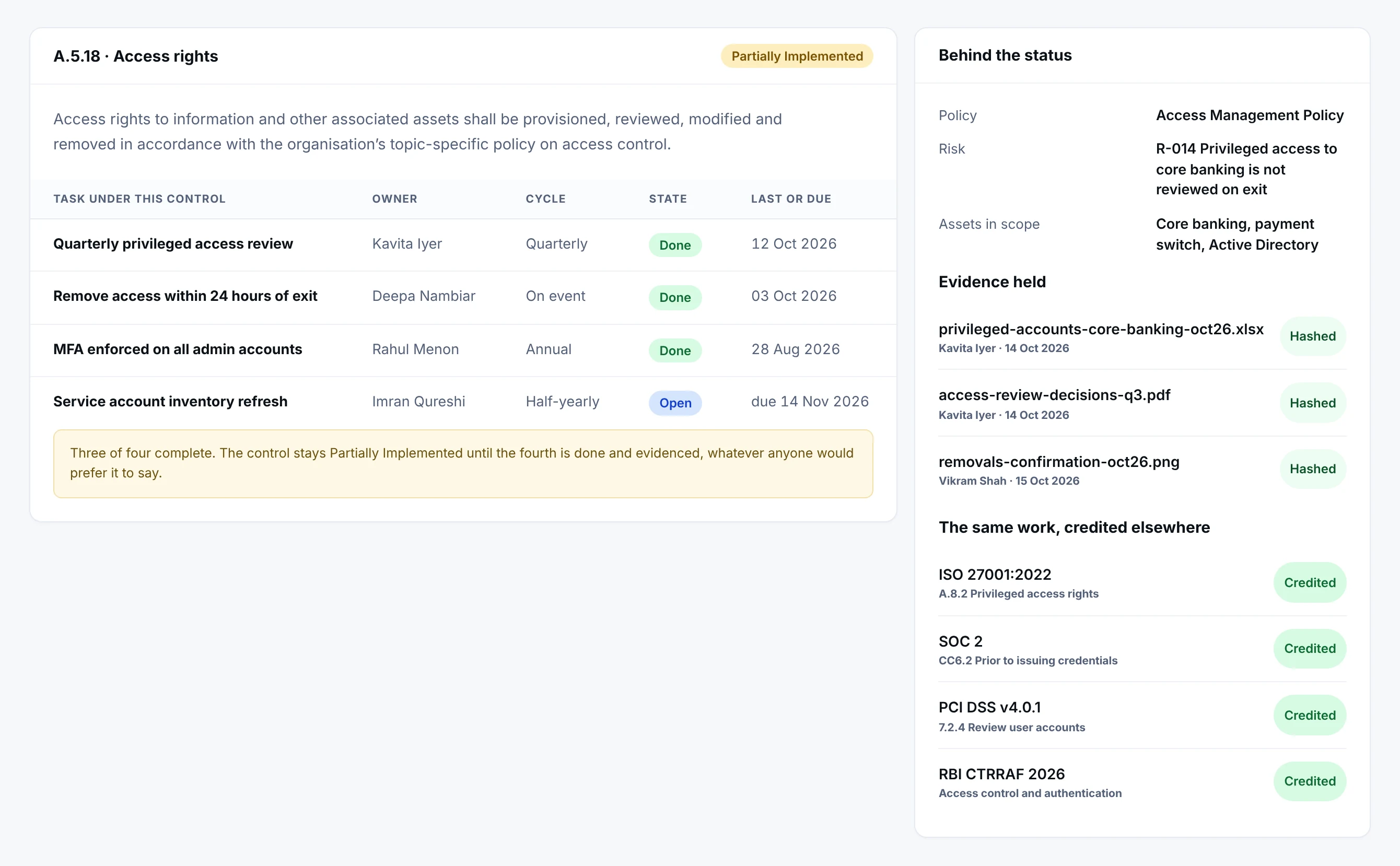
Tip. Treat each checklist line as a task with an owner and a due date, and attach evidence once, to the work. The auditor then sees the same record you do.
How this is run as owned work in Netra
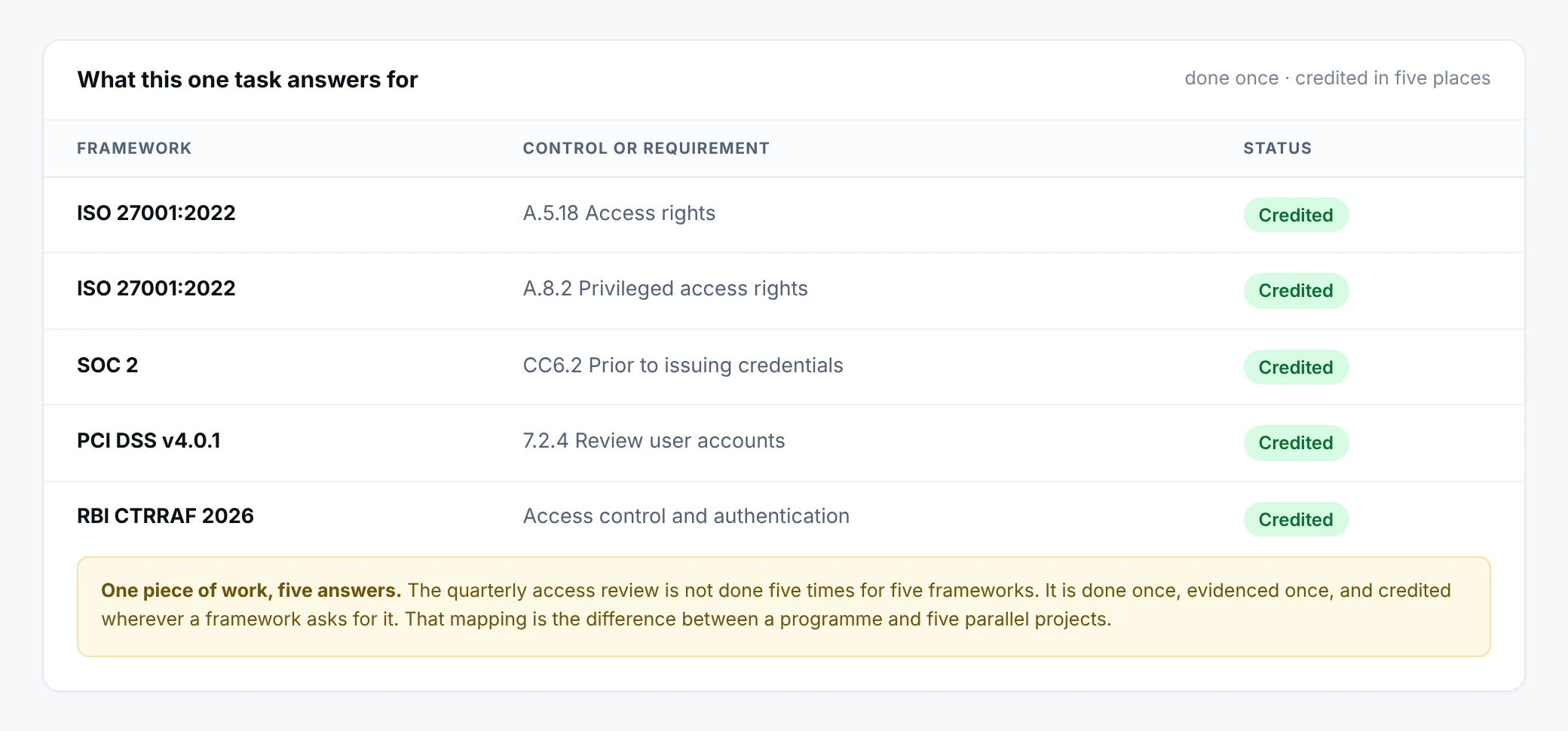
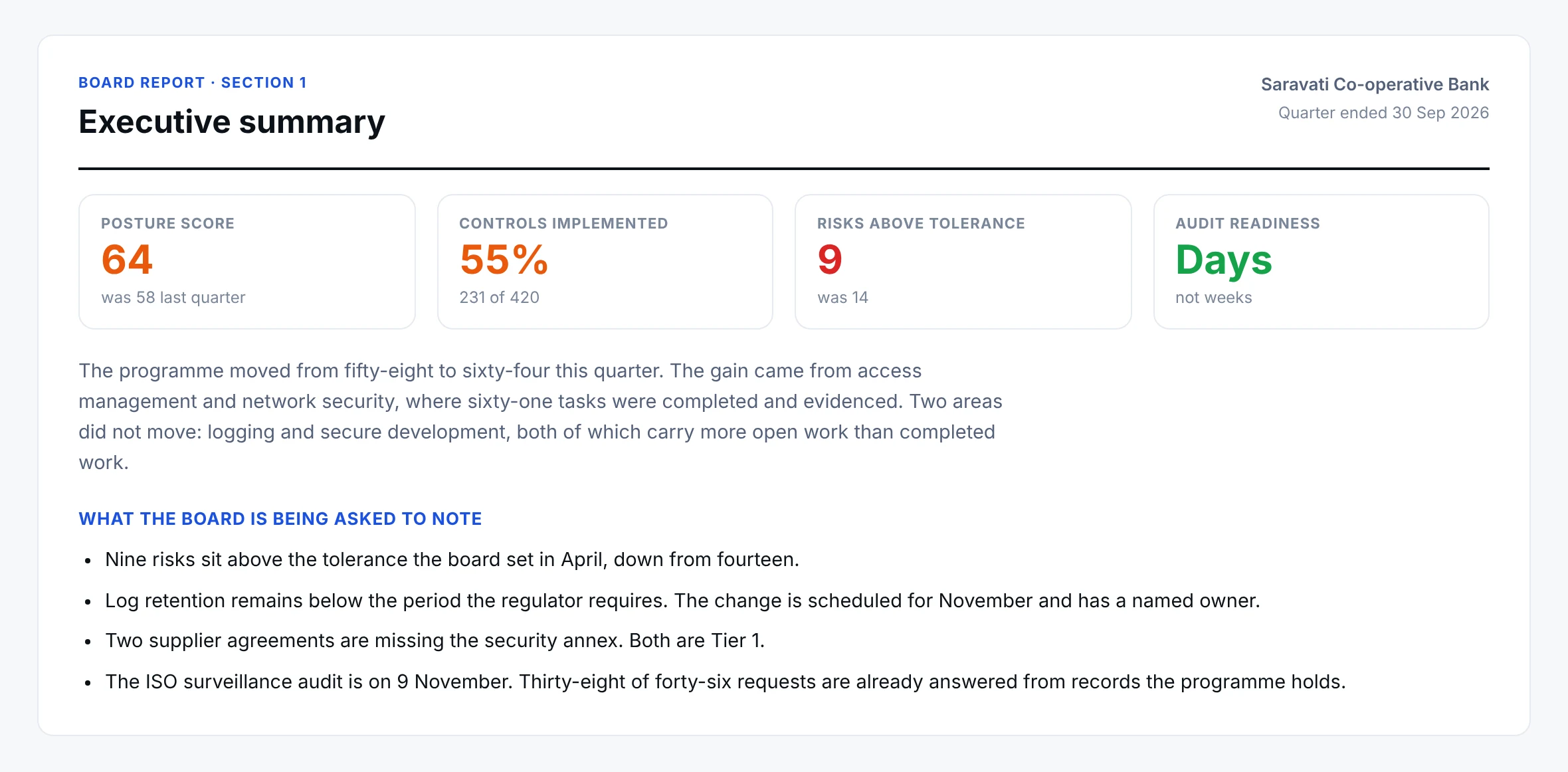
Netra loads the MeitY CSA checklist as requirements, tasks and policies. Each line becomes a task with an owner, due date and recurrence. Evidence is attached once and reused wherever the same work serves another framework, such as the CERT-IN guidelines. Status is derived from completed work and evidence rather than typed in. The Audit Centre brings internal and external auditors, findings and corrective actions into one place.
Netra organises the audit and its evidence. It does not perform vulnerability assessment or penetration testing, and it does not make a system compliant. For incident reporting duties that sit alongside this, see the CERT-IN 6-hour incident reporting guide, and for supplier lines in the checklist, the third-party risk checklist.
This article is a summary for general information. It is not legal advice. Confirm which systems and which checklist version apply to you with your audit authority.
Frequently asked questions
Who has to be audited against the CSA checklist?
CERT-In’s guidelines apply it to critical applications, databases or platforms of Ministries, Departments, Secretariats and Offices that involve sensitive personal data. Departments should confirm with their audit authority whether a given system is in scope.
Who can carry out the audit?
The CERT-In guidelines say audits are done by CERT-In empanelled auditing organisations, using only the personnel declared to CERT-In.
Is there a certificate for passing the checklist?
The checklist is an audit scope, not a certification scheme. The audit produces a report and, once findings are closed, an audit certificate issued by the auditing organisation.
Can the same evidence serve other audits?
Often yes. Architecture documents, test reports, access reviews and log records are asked for in most security audits, so keeping them attached to the work saves repeat collection.
Sources
Run the checklist as owned work
See how Netra turns an audit checklist into tasks, evidence and a findings trail.
See it in Netra
A demo on the frameworks that matter to you.